Bring up the Bitdefender interface and access:
Click on Settings
Click on Update

Uncheck Update Automatically
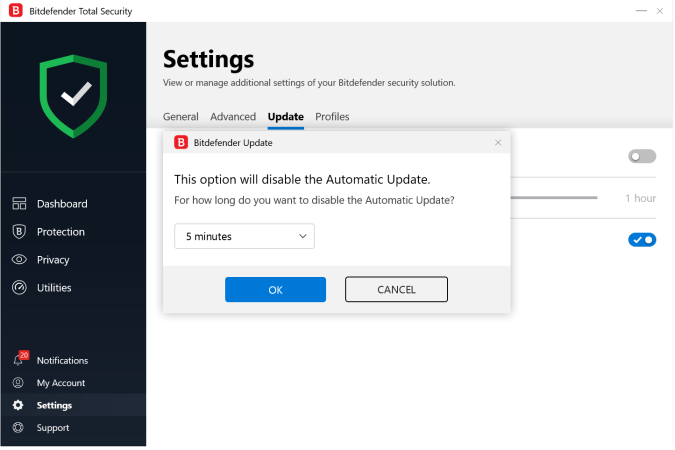
Select 5 minutes or until System Restart and Click on the OK button.
bd Antivirus
Bring up the Bitdefender interface and access:
Click on Settings
Click on Update
Uncheck Update Automatically
Select 5 minutes or until System Restart and Click on the OK button.
 bdAntivirus
This does not stop BitDefender from automatically updating, at least for a few minutes or until the system restarts. What a ridiculous answer. When people ask a question like this, they expect a reliable solution.
LikeLike
How can I permanently disable Bitdefender from checking updates? I want to manually update it every time rather than it telling me to do it. Until system restart is the final option for me for now, but I need auto update to be disabled permanently.
LikeLike
This is the solution to stop Bitdefender from checking updates.
LikeLike